Our Business Card Has a Play Button
Business cards are often dismissed as outdated, and in many cases that is probably fair. Most of them are little more than a name, a logo and some contact details printed on a piece of paper, which means they are easy to forget and even easier to lose.
We thought it would be more interesting to build one that actually does something.
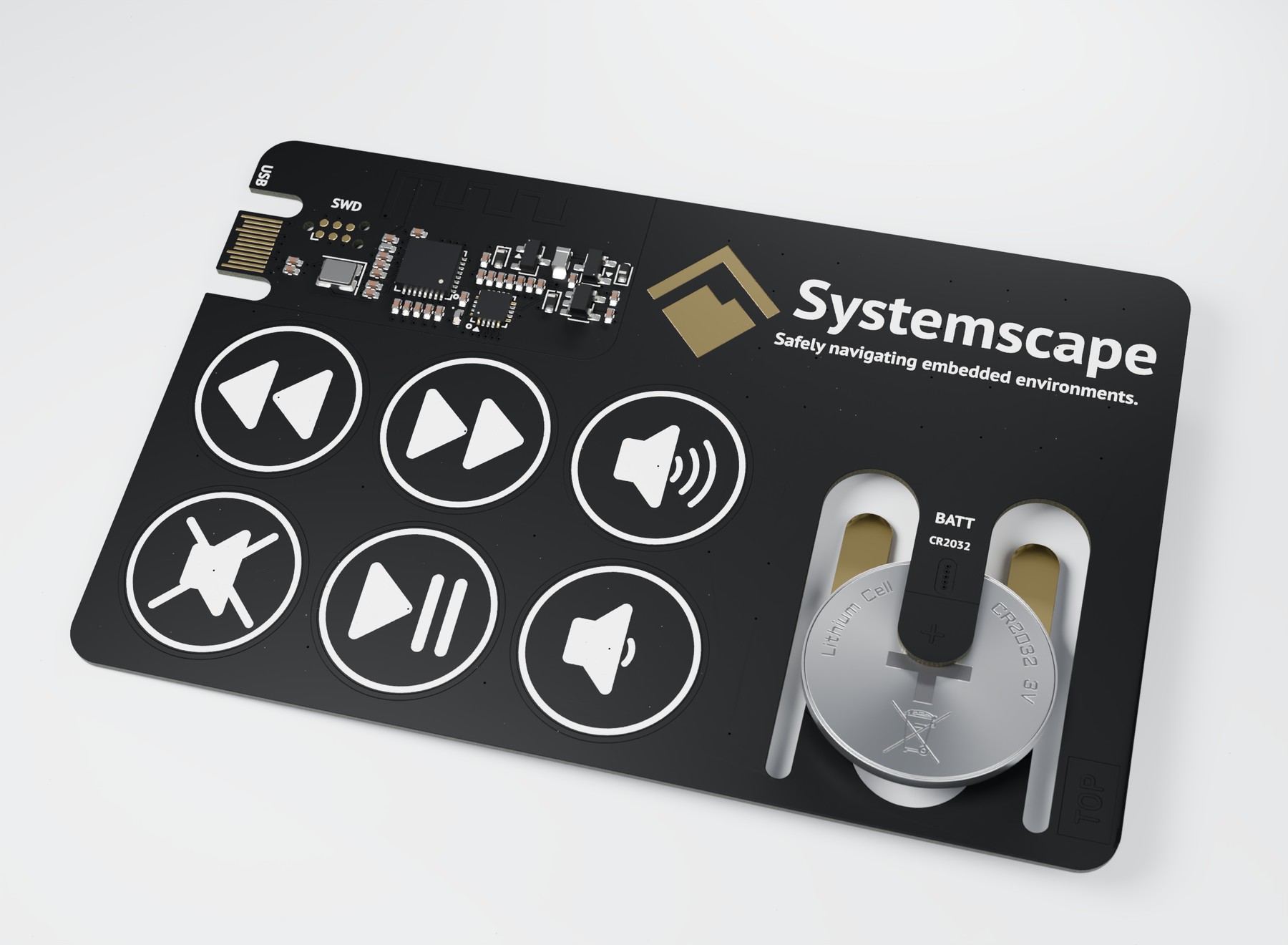
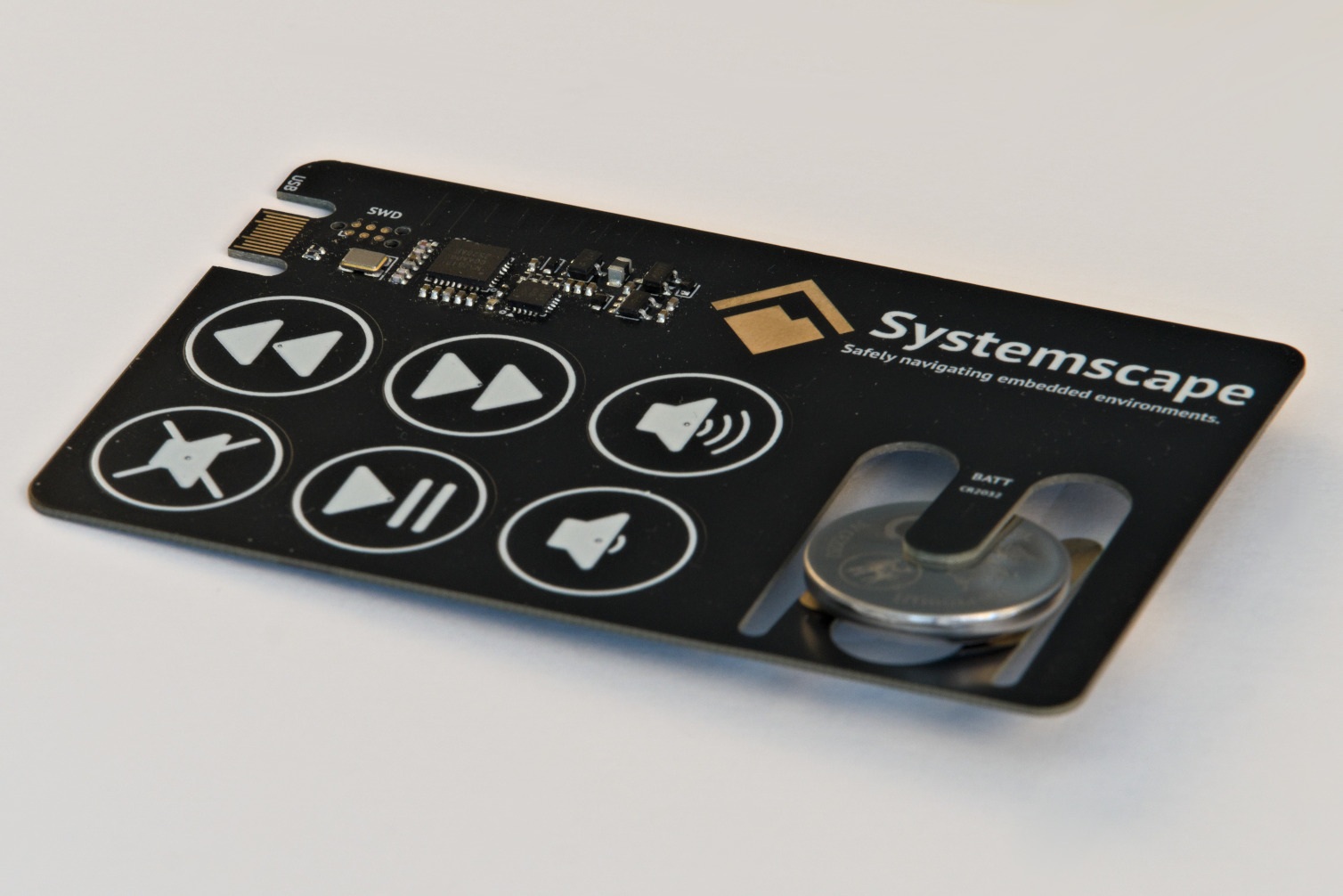
The result is our Bluetooth business card: a fully functional embedded device in the dimensions of a standard business card, with six capacitive touch controls for volume, mute, play/pause and track navigation. Once paired with a laptop or smartphone, it works like a small Bluetooth Low Energy media remote.
It is not exactly the most necessary product we have ever built, but it turned out to be a very good excuse to combine a number of things we enjoy working on: embedded Rust, Bluetooth, capacitive touch sensing, PCB design, RF, power and mechanical constraints.
Making the PCB do the work
The board itself measures 85.6 × 53.98 mm and is built as a four-layer PCB only 0.8 mm thick. We designed it in KiCad and went with a black solder mask, white silkscreen and exposed gold contacts, partly because we wanted it to look like an actual product and not just like a development board that has our contact details printed on it.
There was also a hard practical constraint behind the design: if we were actually going to give these cards away, they had to be cheap enough to produce in reasonable quantities. We set ourselves a target of around $4 per PCB, which ruled out a lot of solutions that would have been perfectly sensible on a conventional development board.
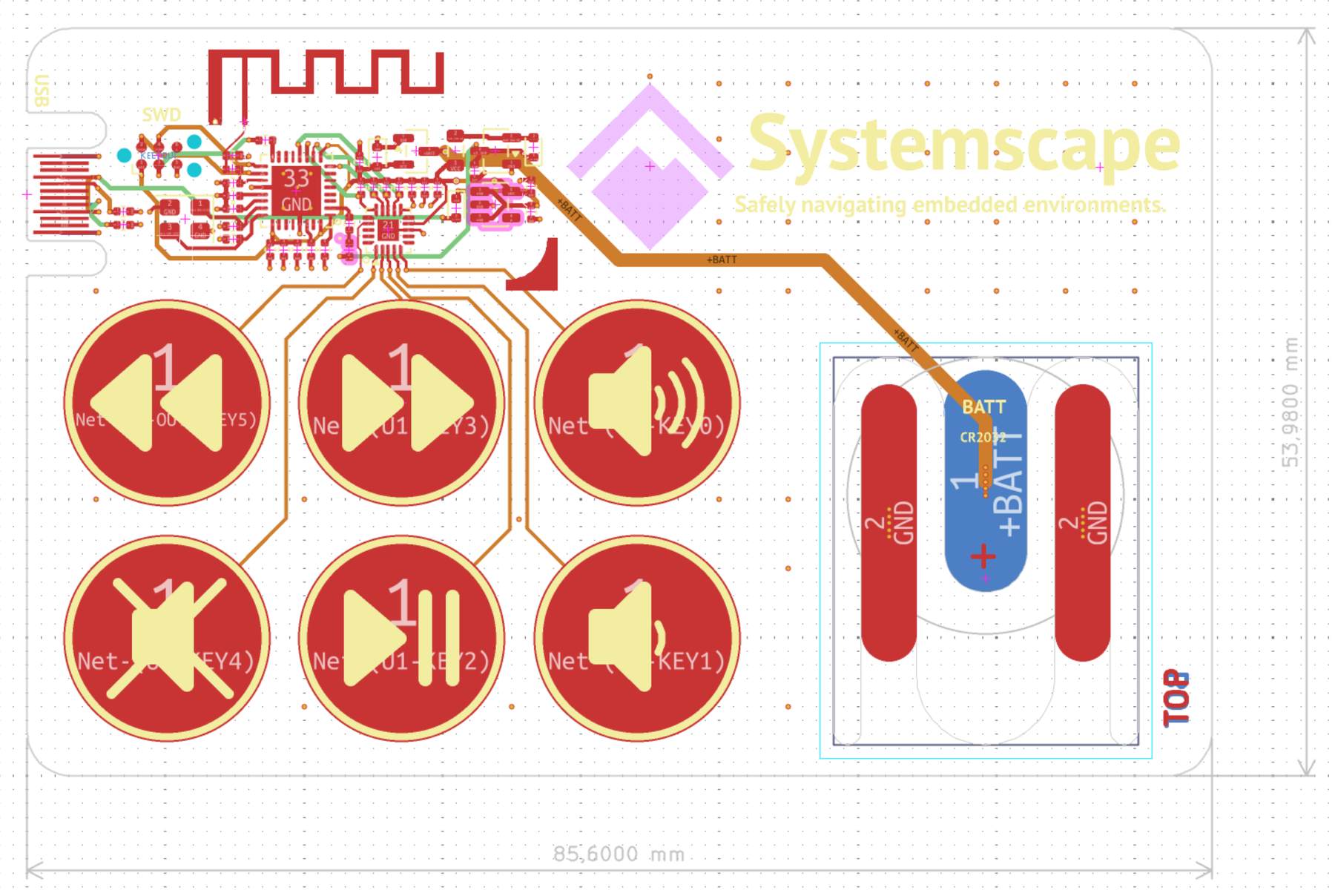
That cost target is one of the main reasons the PCB itself carries so much of the functionality. Wherever we could replace a separate mechanical part or connector with copper, board geometry or a cutout, we did. The USB contacts, touch buttons, antenna and battery holder all rely on the PCB itself rather than adding dedicated components for each function.
The layout in Figure 2 shows how these features fit together within the card outline.
Fitting Rust into 192K of flash
At the center of the design is Nordic's nRF52810, which provides the Bluetooth Low Energy connectivity and runs the application firmware. We chose it because it met our functional requirements while also being relatively inexpensive, although that came with one significant drawback: the nRF52810 is quite limited in both RAM and flash with only 24K of the former and 192K of the latter.
The firmware is written entirely in no-std Rust using Embassy and TrouBLE, and fitting everything onto the device turned out to be rather difficult. We had to make several optimizations specifically to reduce its memory footprint, and when it finally fit there were only a couple of bytes of flash left.
Since this work might be useful for others, we decided to publish the firmware as open source: the pure Rust code is available on GitHub under the MIT license.
The capacitive touch inputs are handled by an AT42QT1070, with the six touch electrodes formed directly from copper on the PCB.
An antenna made from copper
The same approach was used for the 2.4 GHz antenna, which is also implemented directly in the board layout. That was one of the parts of the project we were particularly interested in, because while the software side was familiar territory for us, RF design is not something we would claim to be experts in.
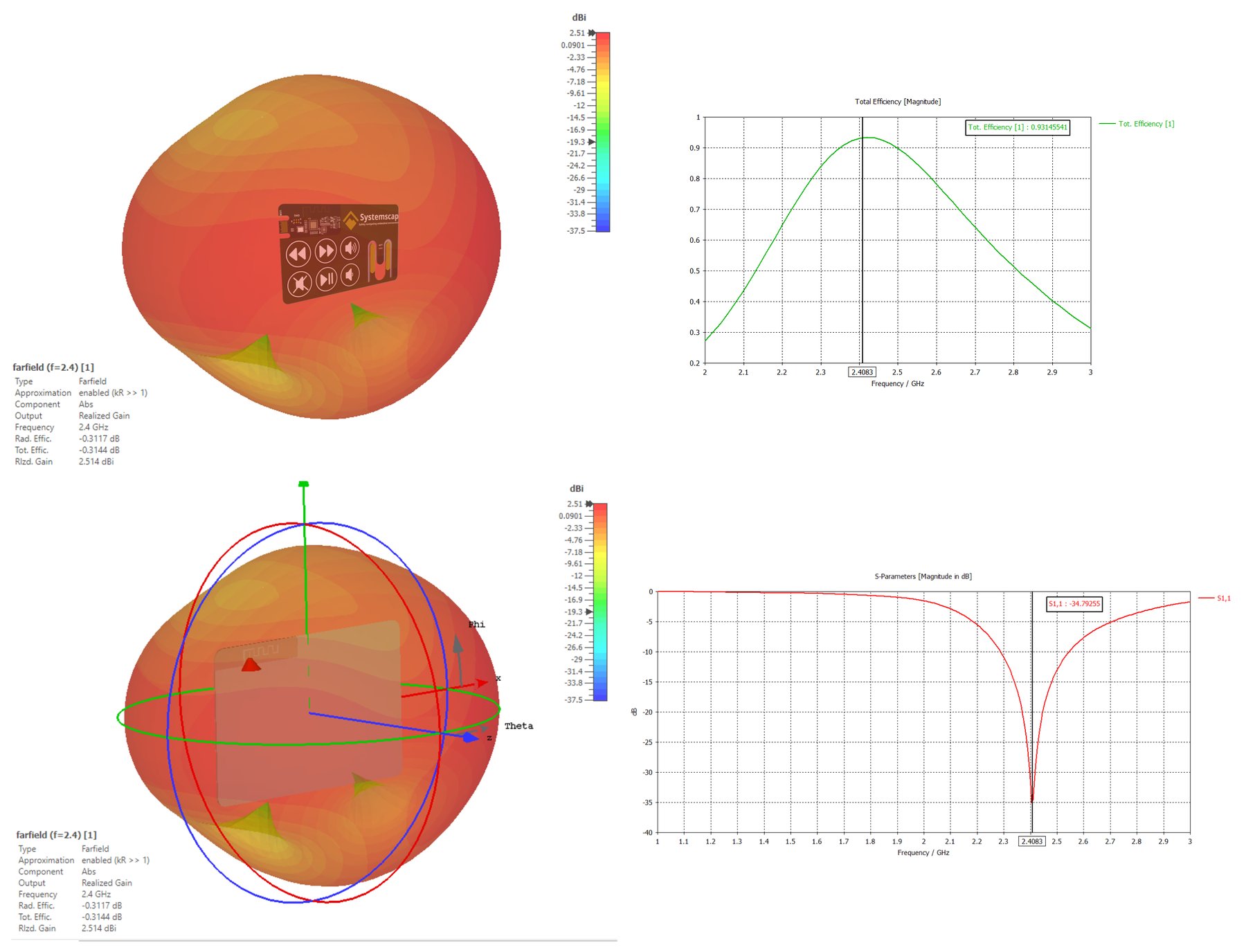
Nikola from Quarterwave helped us by simulating the antenna pattern (see Figure 3), which gave us much more confidence in the design, and we were pleasantly surprised by how well the antenna performed on the first revision. The card connects reliably to phones and laptops and works perfectly well as an actual media remote, even over quite large distances and running for several days.
Power and connectors without the bulk
We tried to apply the same philosophy to the mechanical parts of the design. Since the board is supposed to remain recognizable as business-card-shaped, we wanted to avoid adding bulky connectors and holders wherever possible.
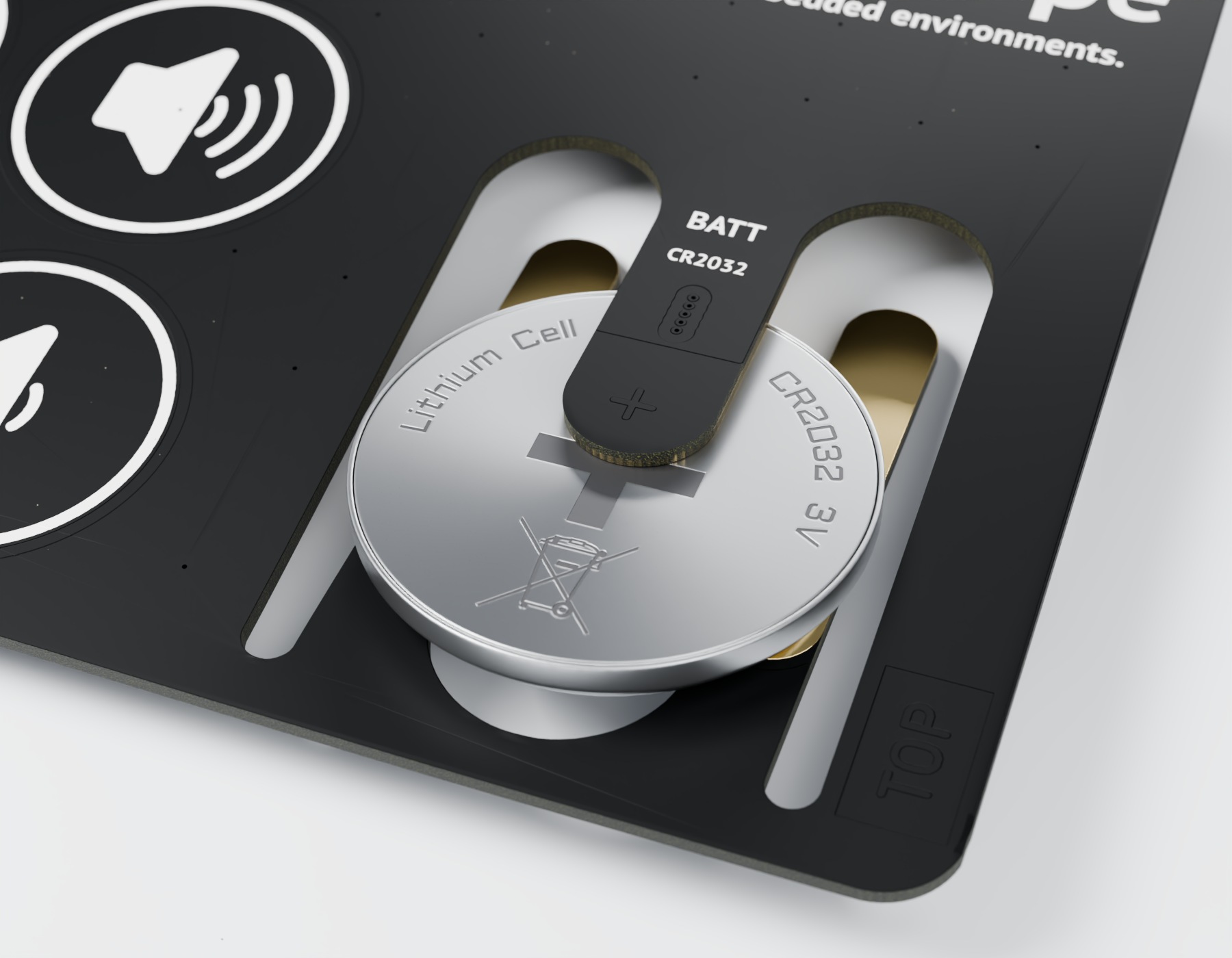
For battery power, the card uses a CR2032 coin cell, with the holder integrated into a cutout in the PCB rather than mounted separately on top of it. In addition to being more expensive, a separate battery holder would also be much higher, which would negatively impact the card being perceived as similar looking to an actual business card. The board can also be powered over USB-C, but instead of using a conventional USB-C receptacle, the contacts are built directly into the edge of the PCB. This just happens to work because the interior bar of a USB-C connector is also roughly 0.8 mm in thickness, just like our PCB.
The close-ups in Figure 4 and Figure 5 show the battery cutout and the USB-C connection in detail.
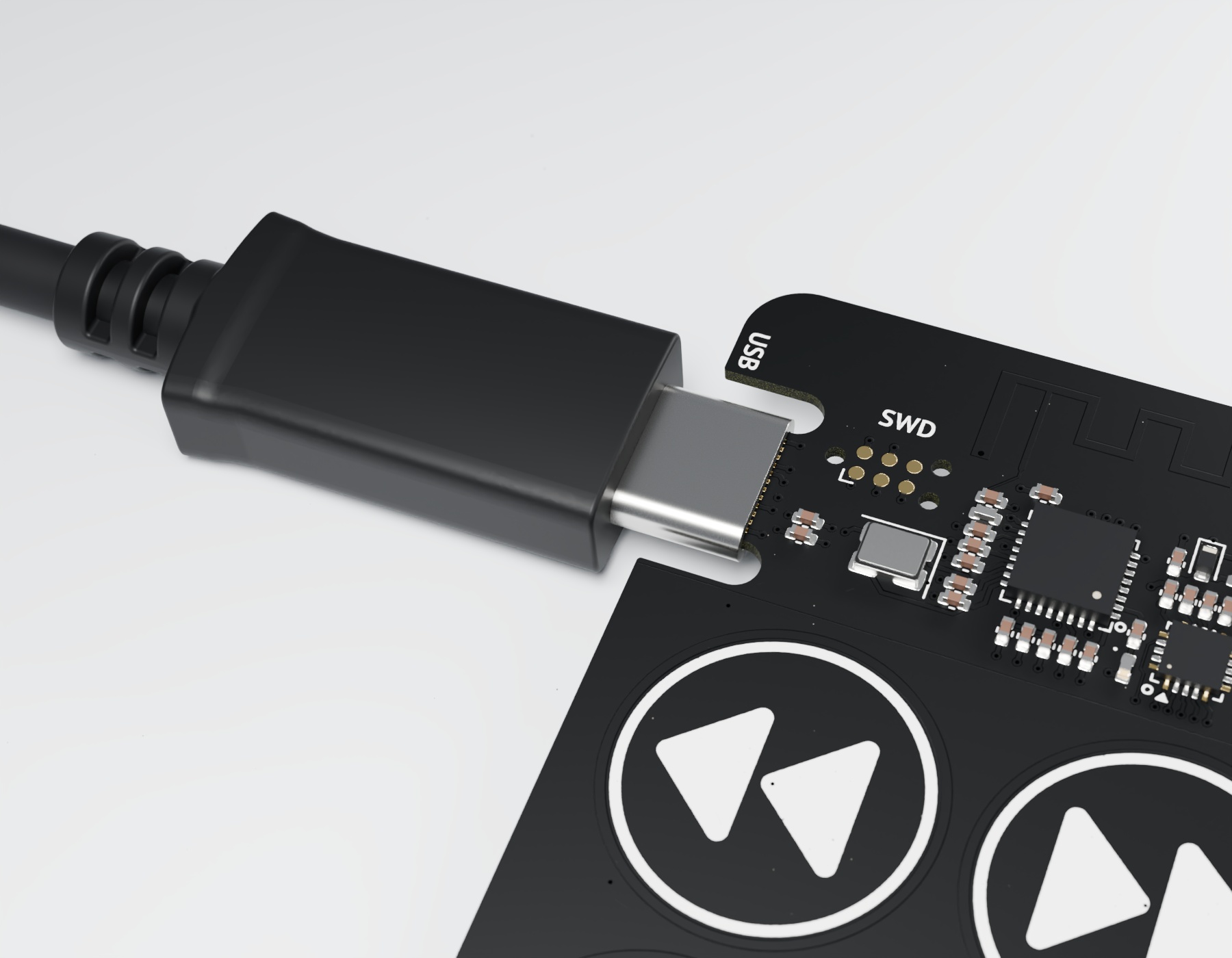
Programming is handled using a Tag-Connect TC2030-NL, which connects directly to pads on the PCB and therefore requires no additional parts on the card. The footprint itself takes up roughly as much board space as an 0805 passive, while still giving us everything we need to program and debug the microcontroller.
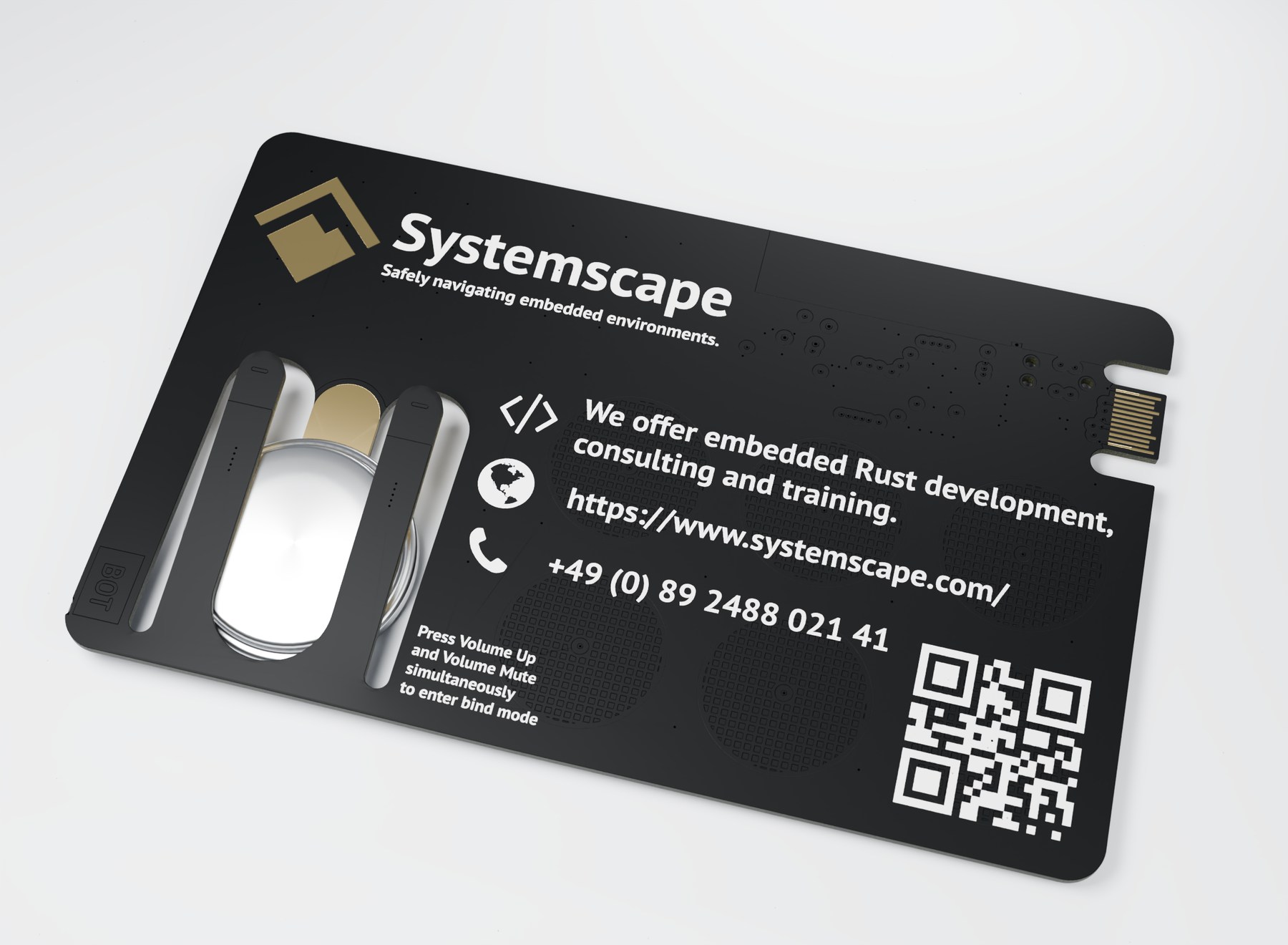
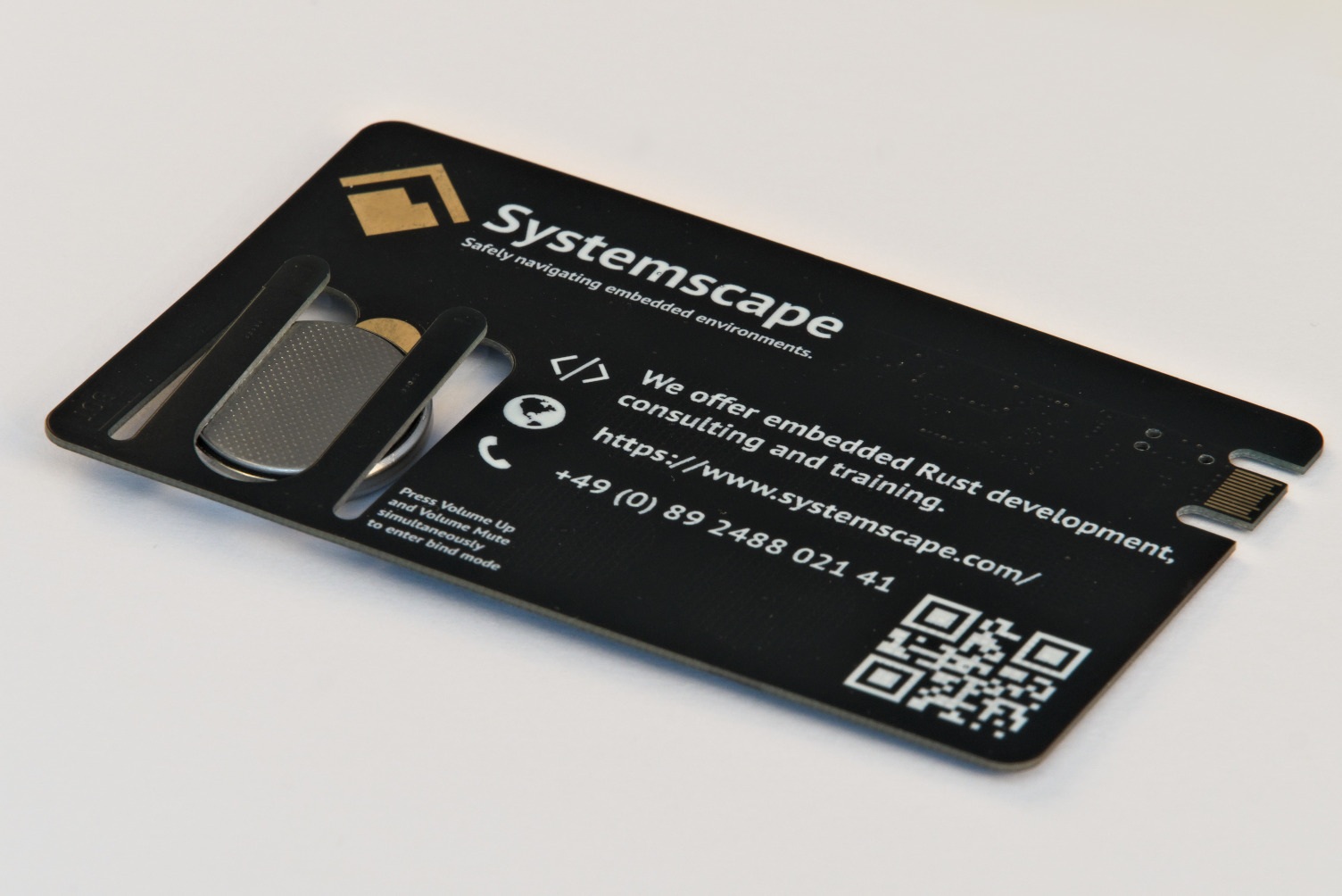
The underside in Figure 6 shows the other half of the design: the contact details, QR code and battery cutout.
A better introduction to what we do
Taken individually, none of these features are particularly exotic. What made the project interesting was fitting all of them together in the space and thickness of a business card, while still ending up with something that looks clean, works reliably and is inexpensive enough that we can actually give it away.
There is also a practical reason why we liked the idea. For an embedded Rust development, consulting and training company, handing someone a small embedded device is a much better introduction to what we do than simply printing those words on a card.
The finished hardware is shown from both sides in Figure 7 and Figure 8.
People tend to notice the touch buttons first, then the antenna, then the unusual USB-C connection or the battery cutout, and the conversation usually moves into hardware or firmware long before anyone gets around to reading the contact details.
People also stow it away securely to ensure they don’t lose it, which, for a business card, is probably the best outcome we could have hoped for.